
- Go to All Pages > Home
- Go to the page element or add a new page element
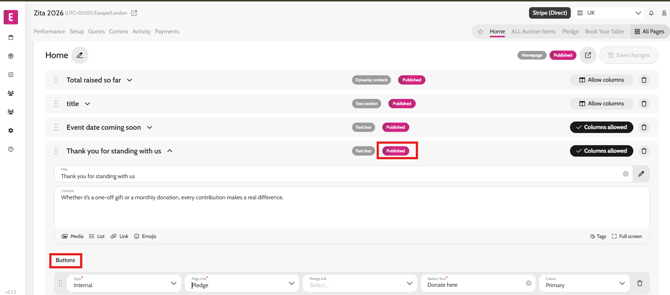
- Scroll to the button section
- Insert Button title
- Select Internal as a type
- Select Page link – Pledge/Donate page
- Click Save Changes
- Click on the Draft pill on the element to change to Published
Video instructions