
- Go to All Pages > Raffle/Prize Draw Page
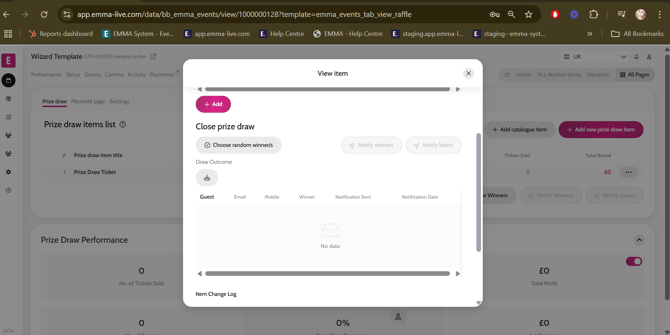
- Click on the Raffle/Prize Draw title
- Click on ‘Choose Random Winner/s’
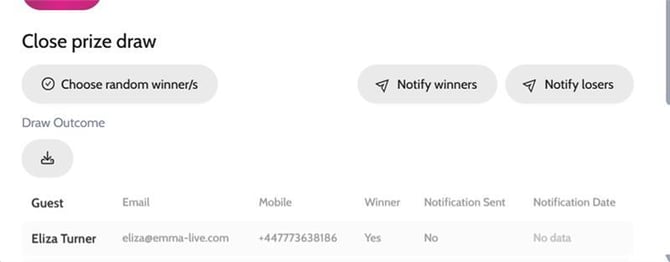
- The winner(s) will appear at top of the list under the ‘Draw Outcome’ section, and they will have Yes written under the Winner column .
- If the client would like to notify the winners and losers from the Emma platform, you can do so by clicking on ‘Notify Winners’ and ‘Notify Losers’ (you can amend either template in Communication Templates first)
Choosing winners for Raffle/Prize Draw
Video instructions