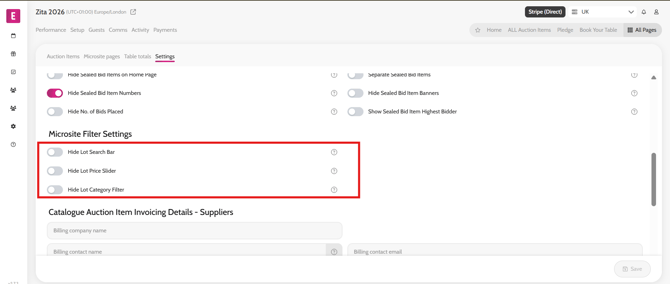
Hide or show item search bar/ item category/ cost slider
To hide or show the auction item search bar / categories / cost slider at the top of the auction items on home page/auction items page follow the steps below.
Go to All Pages > All Auction Items
Select the Settings subtab
Enabble/disable the required toggle in the Microsite Filter Settings section