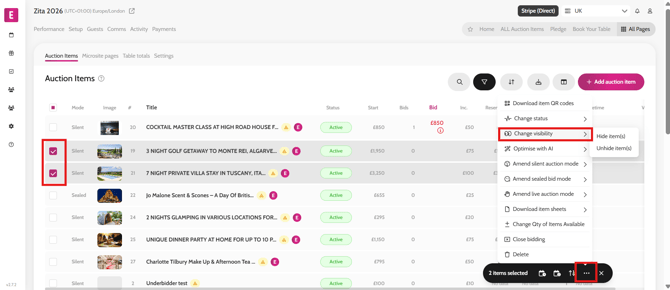
Hiding auction items from the microsite To hide auction items from the microsite (home page/auction page/leaderboard), follow these steps. Go to All Pages > All Auction Items Select the item(s) required Click on the ‘…’ on the black bulk action pill Select ‘Change Visibility’ Click on ‘Hide item(s)’ Refresh the microsite to see the changes applied Video instructions