
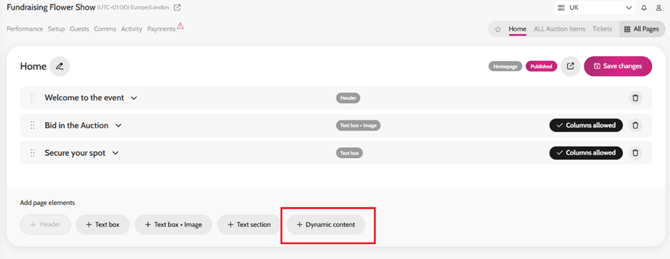
- Go to All Pages > Home.
- Add page elements and click + Dynamic Content.
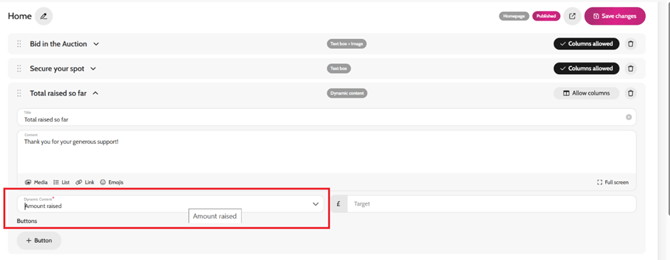
- In the Dynamic Content field, select Amount raised from the dropdown list.
- You can adjust the wording that appears in the content box if you wish, with information about the charity.
- Click Save Changes.
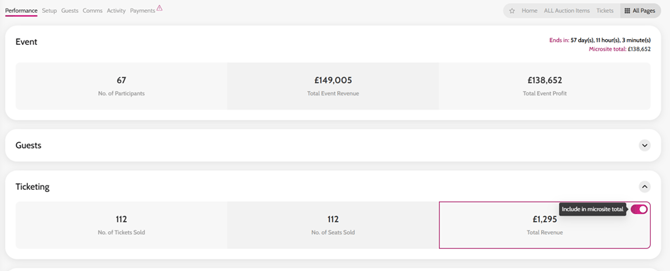
*if you would like to exclude specific functionality totals from the total amount raised e.g ticket sales, go to your Event Performance Page > un-toggle Include in microsite total.
Adding the Dynamic content element
Selecting Amount Raised in the Dynamic content field
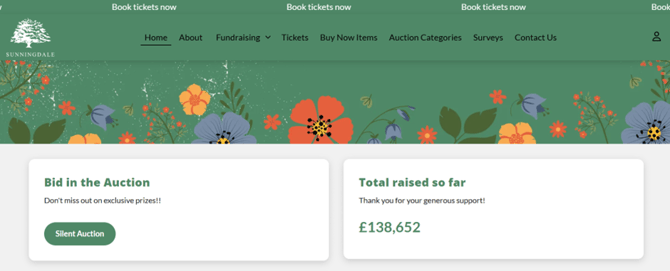
Example of Total Raised so Far on the homepage
Excluding functionality totals
Video instructions