
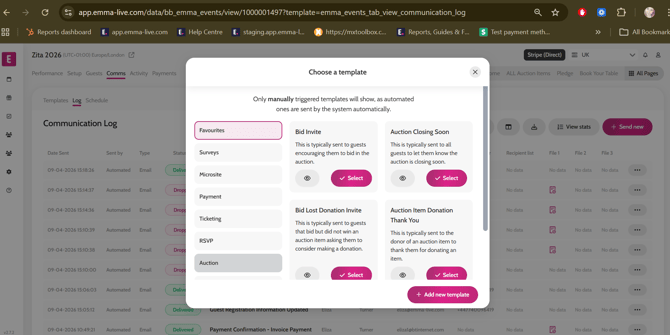
- Go to Comms > Log
- Click Send New
- Click on Auction > Select the Auction Closing Soon template
- Edit the wording in the template if required – you can add the time remaining
- Click Select Recipients > the system will default to send the comms to All Guests
- Click Continue to Preview
- Click Send
*Note: Before sending out the comms make sure you check with the event organiser that they are happy for you to do so.
Video instructions