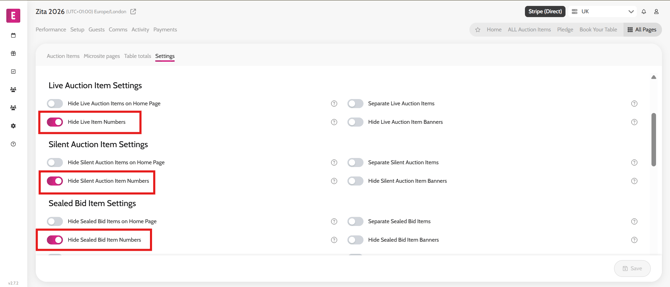
Showing/hiding the lot number on auction items To show or hide the lot number on auction items follow the steps below. Go to All Pages > All Auction Items Click on the Settings tab Enable / disable the Hide Item Numbers toggle for the required bidding mode Click Save Refresh the microsite to see the changes applied Video instructions