
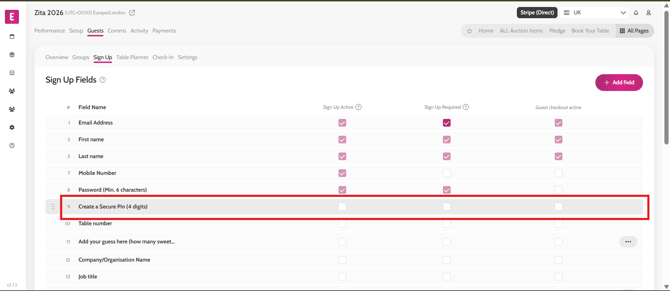
- Go to Guests > Sign Up
- Tick/untick the checkbox for Create a Secure PIN in the Sign Up Active and Sign Up Required columns
- Click Save
*Note: For Sign-up a 4-digit PIN or a 6-character password is required, so if you disable the PIN number, the system will enable the password option automatically.
Video instructions