
- Go to All Pages > Leaderboard
- Select the Settings subtab
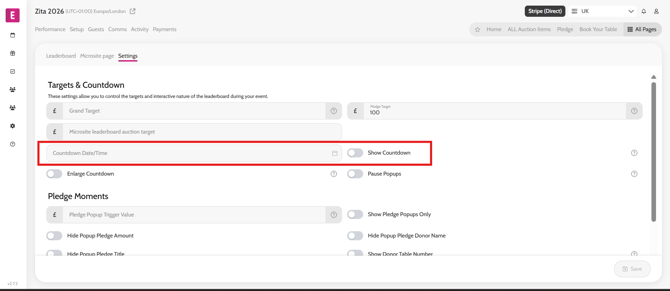
- Add the time it should count down to in the Countdown Date/time field
- Toggle on/off the Show Countdown toggle
- Click Save
*Note: Before doing so make sure you check with the organiser the auction end time is correct.
Video instructions